Contents
By integrating with Neat, Acall allows you to export data on the number of people who used a meeting room, helping you analyze and optimize space utilization.
This page explains how customers in a multi-tenant environment can set up the integration between Acall and Neat.
Preparation Before Setting Up
Please prepare the Organization ID and Key for Neat Pulse
Integrating Neat with Acall Service
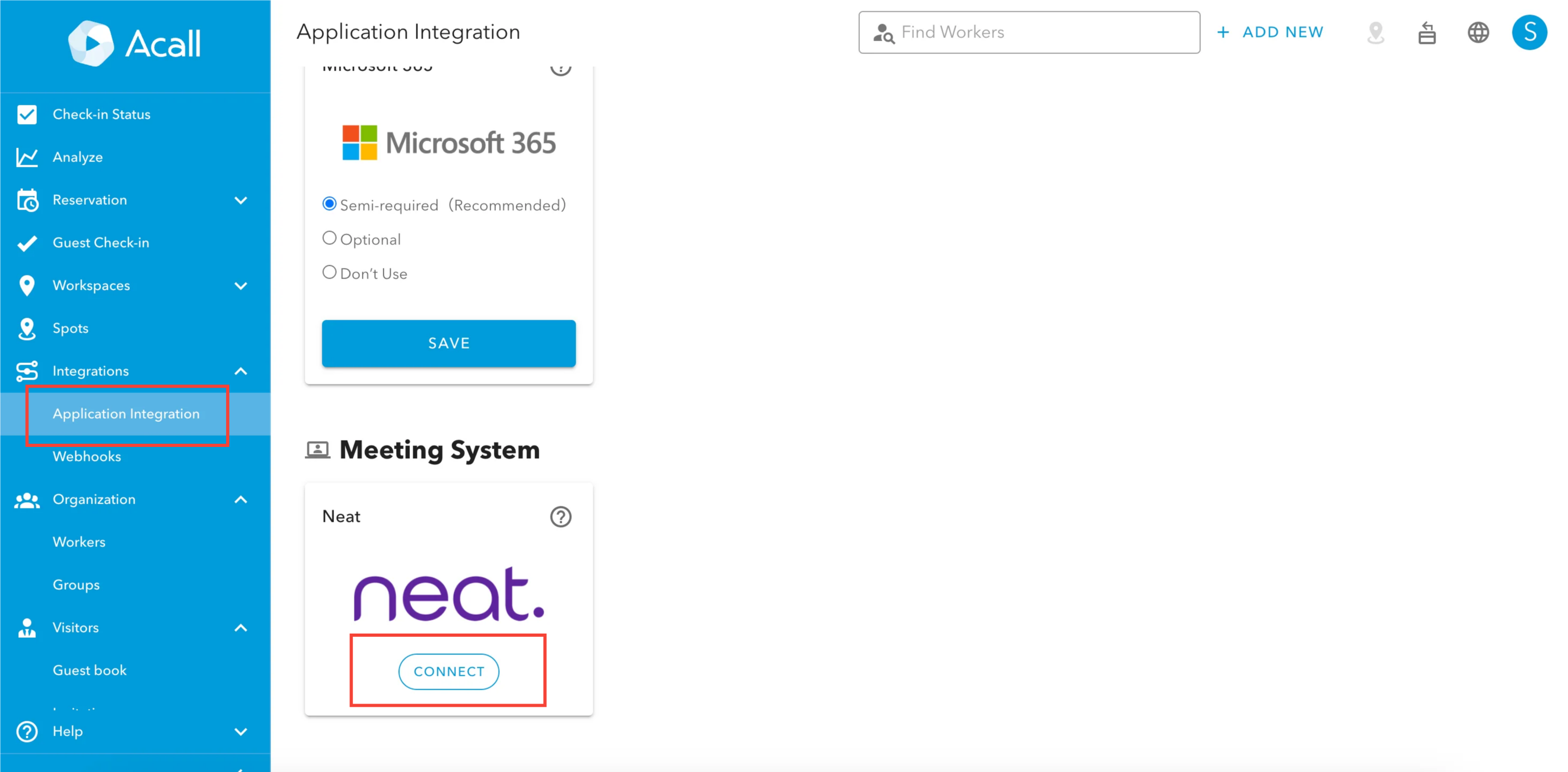
In the Acall Portal, go to the side menu and click on [Integrations] > [Application Integration]. Then, click on [CONNECT] for Neat.
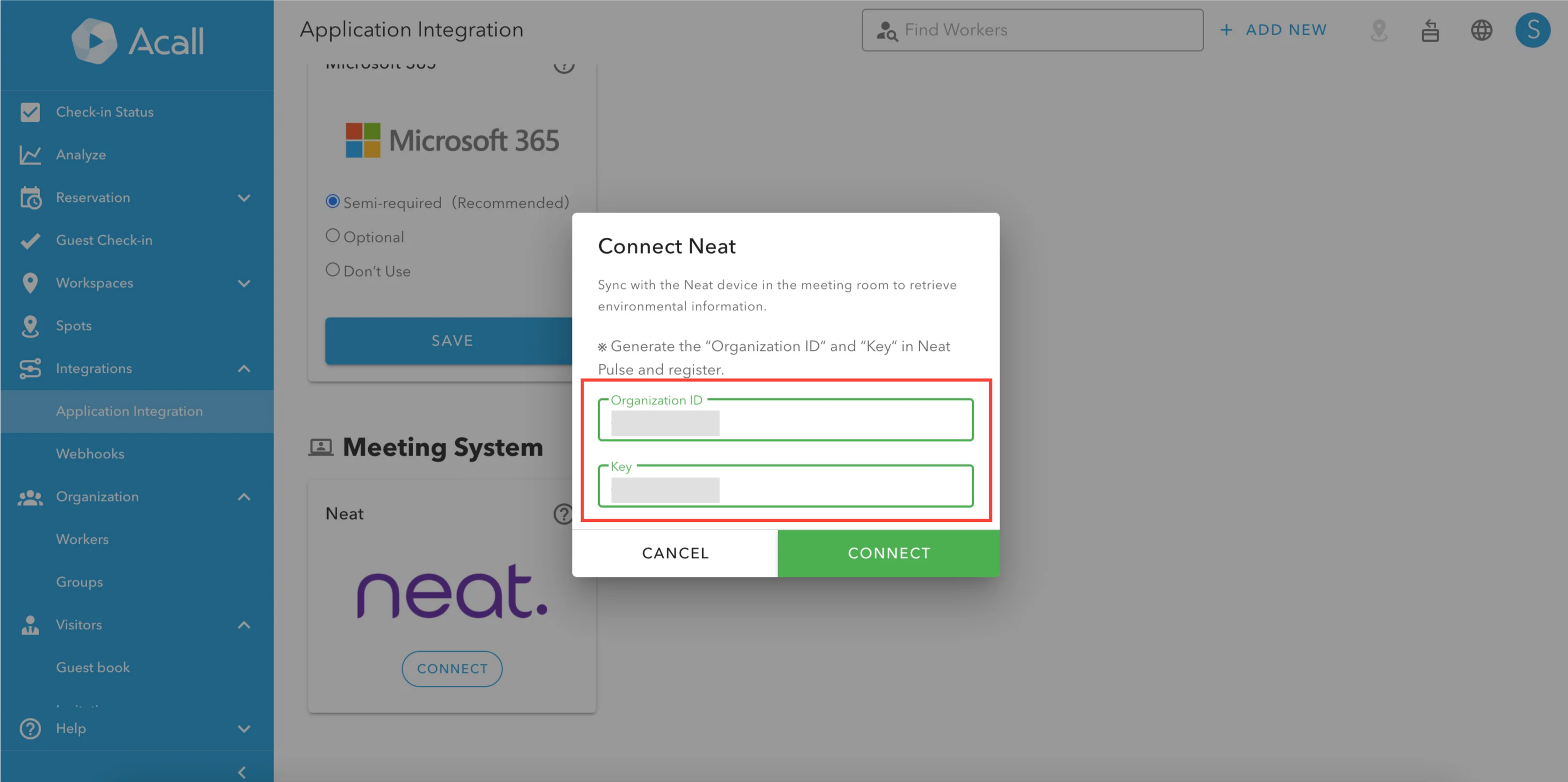
Enter Organization ID and Key, click [CONNECT].
Integrating Neat Room with Workspace
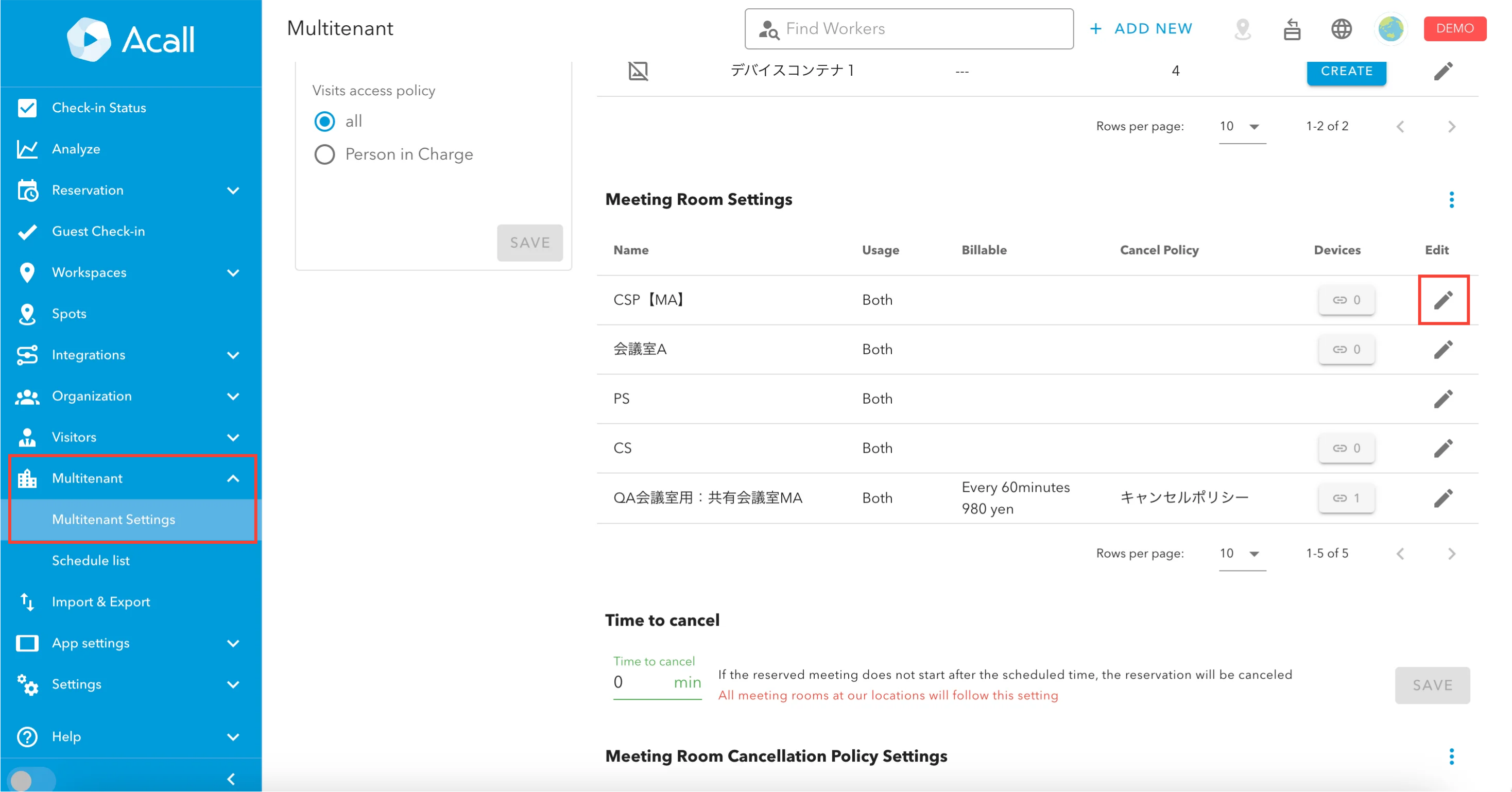
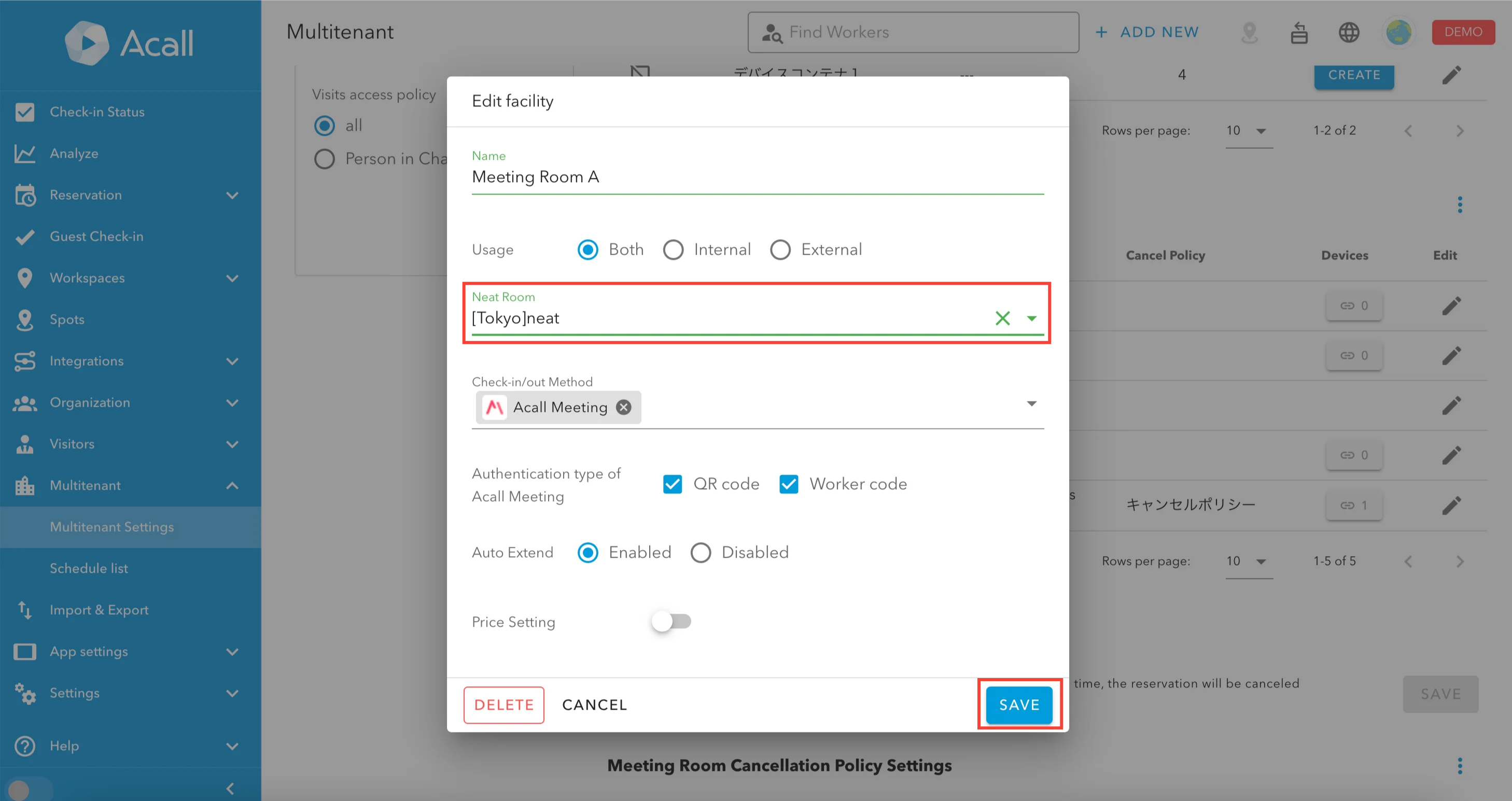
Click on [Multitenant] > [Multitenant Settings] in the side menu and click the edit (pencil icon) for the workspace you want to edit.
Select the Neat Room you want to connect.
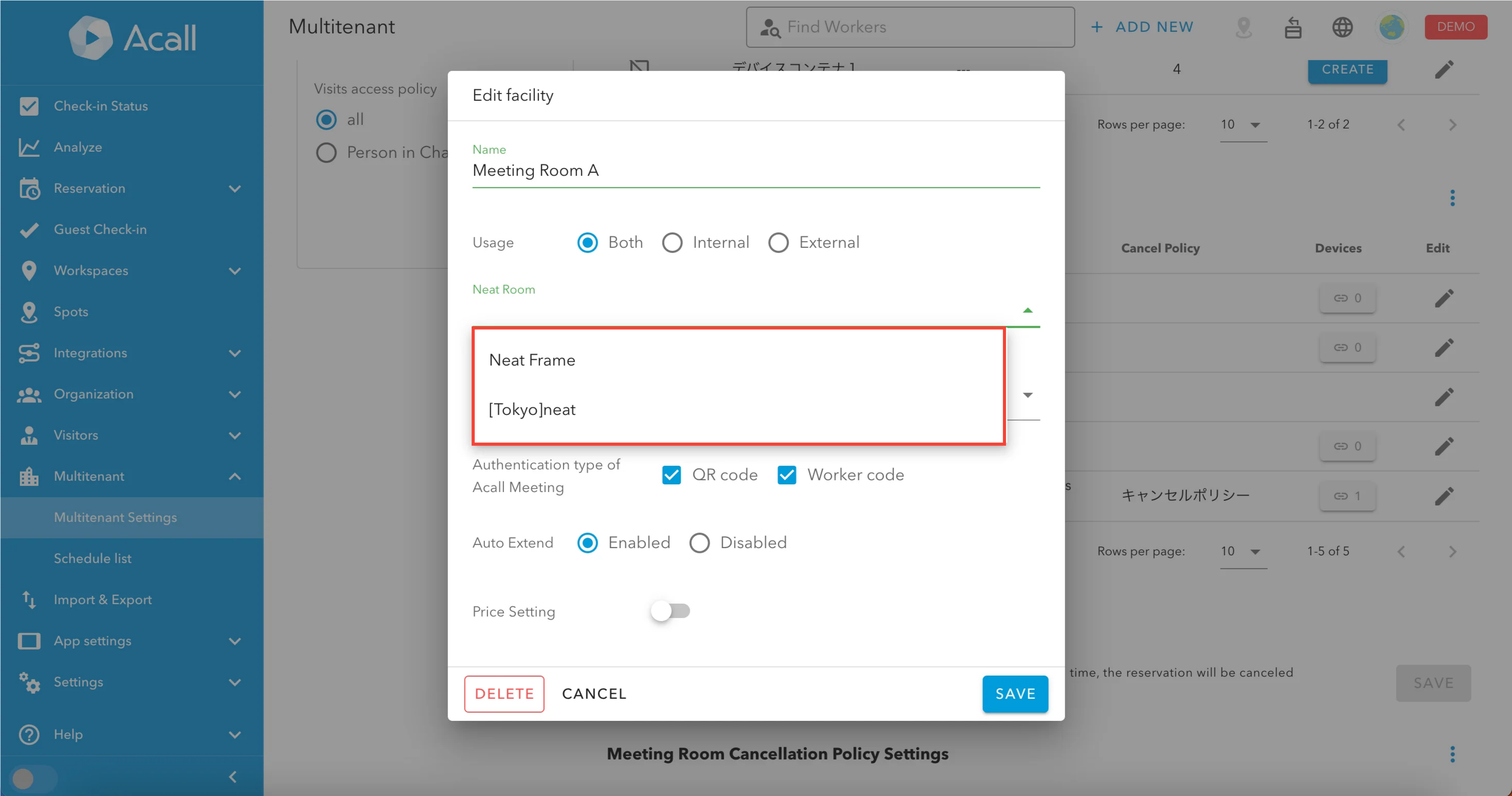
click [SAVE].
💡
After adding or editing a Neat Room in Neat Pulse, it will typically take about 1 hour for the changes to be reflected in Acall.
Comments
0 comments
Please sign in to leave a comment.