Contents
If you have not reserved a seat in advance, you can start using immediately (instant setting) on Acall Mobile.
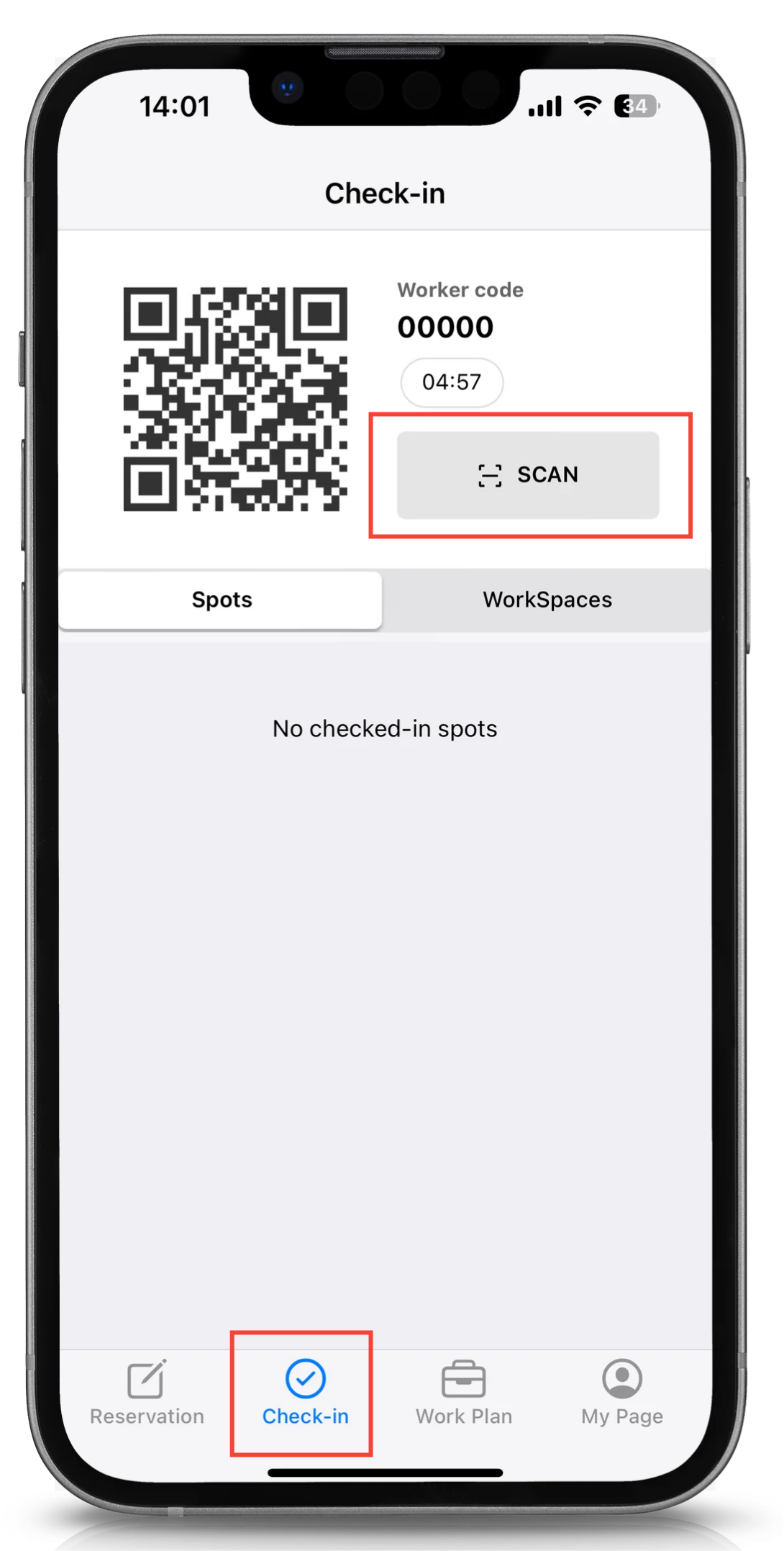
Tap [Check-in] at the bottom of the screen, and tap the [SCAN] button.
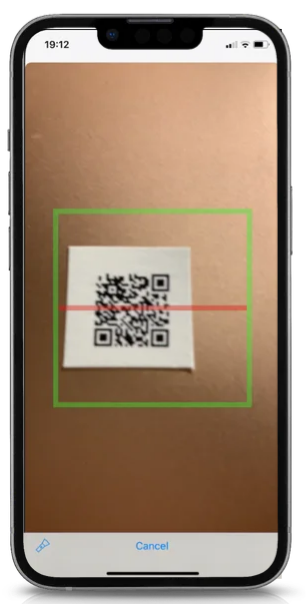
When your screen switches to the camera, scan the QR code placed on the seat within the green frame.
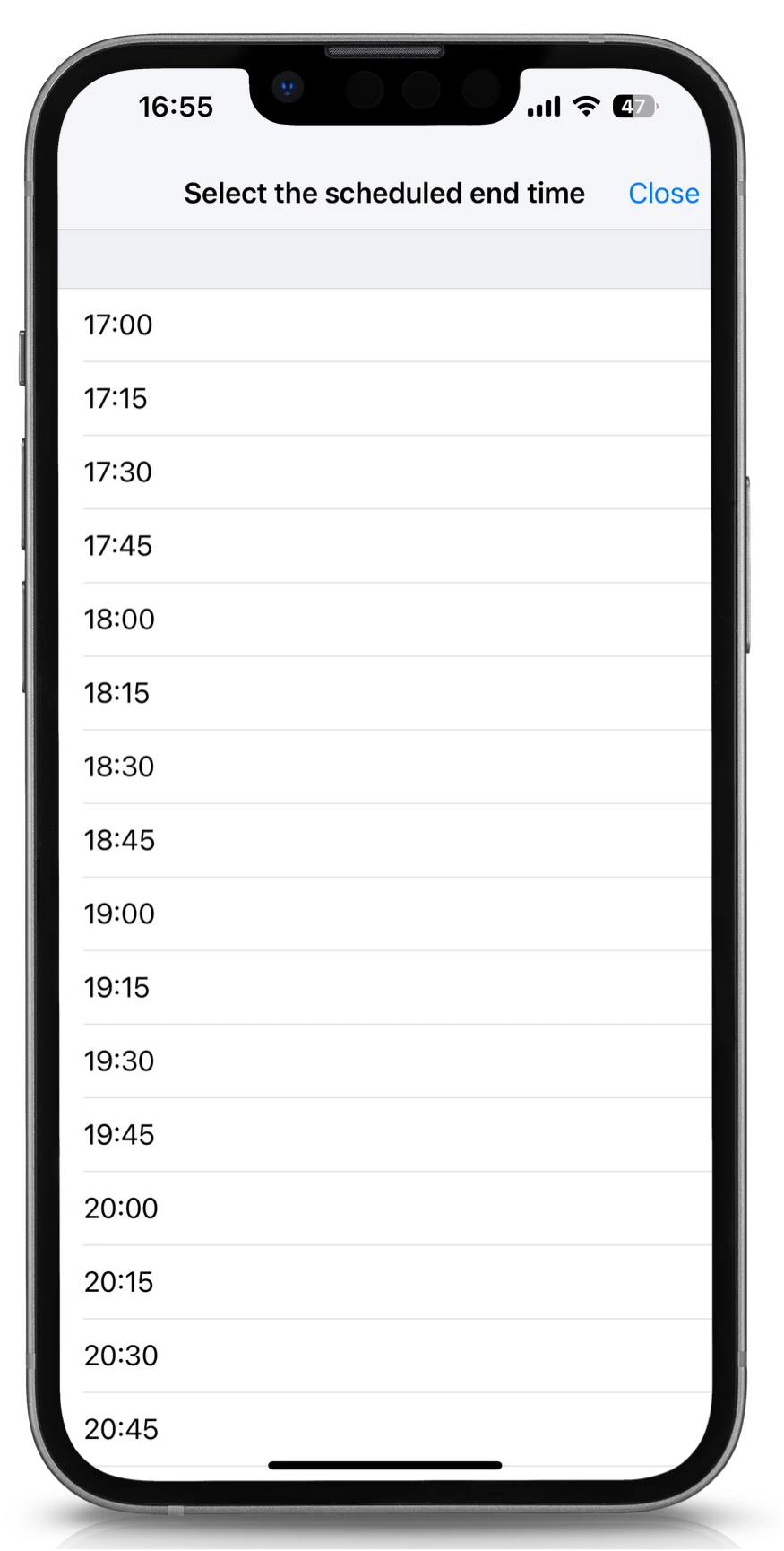
Select the end time.
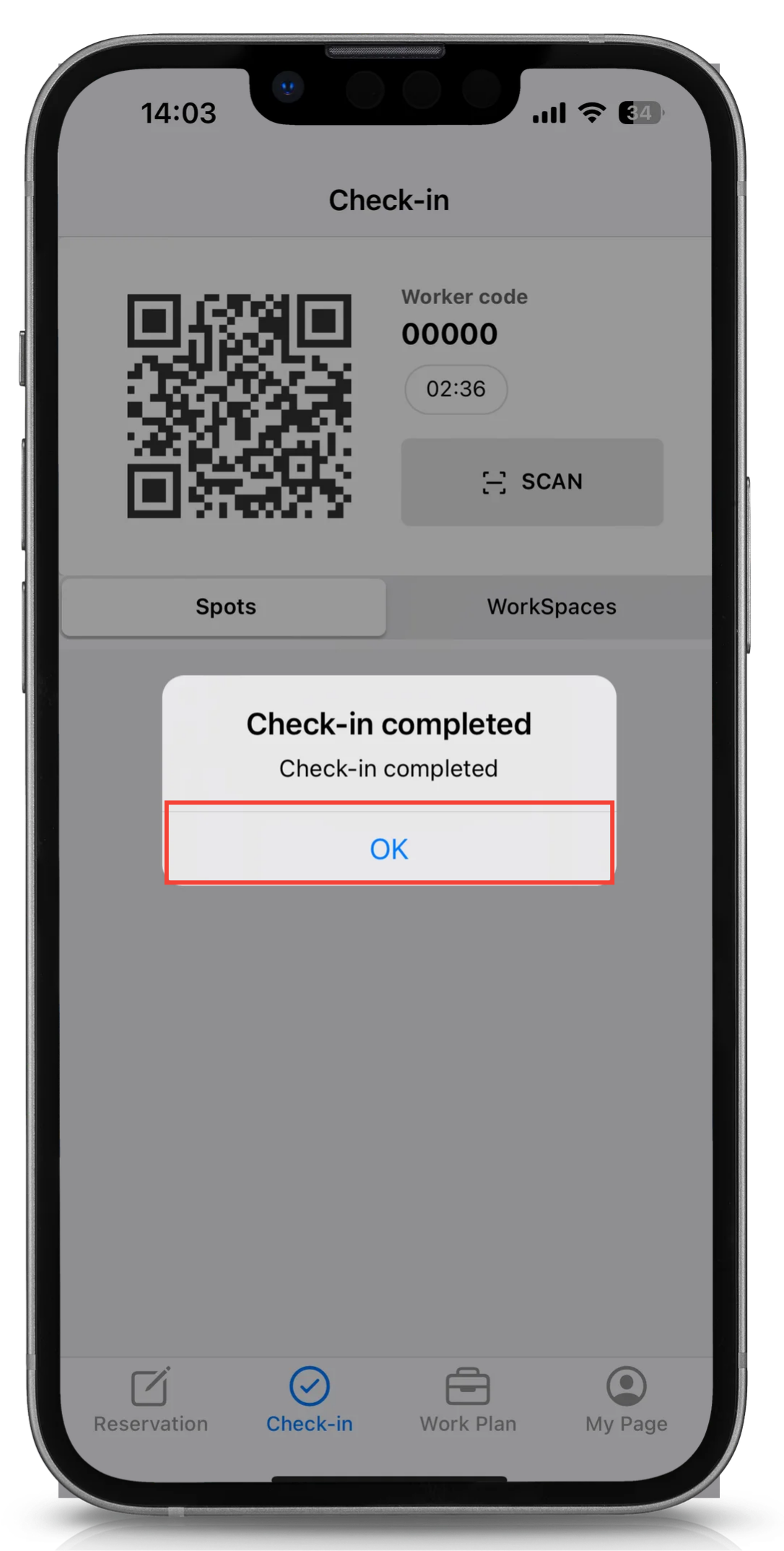
Tap [OK].
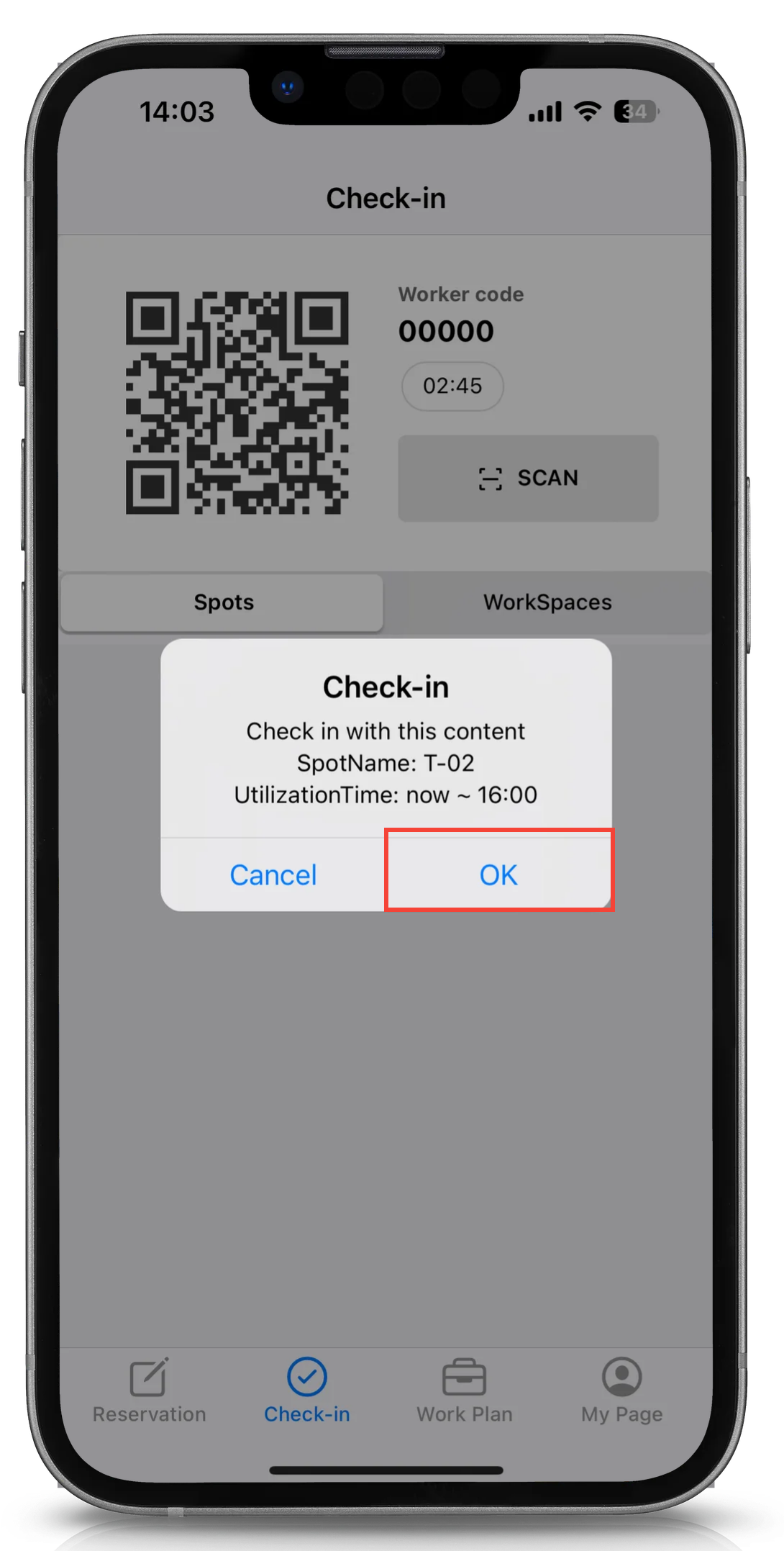
Tap [OK].
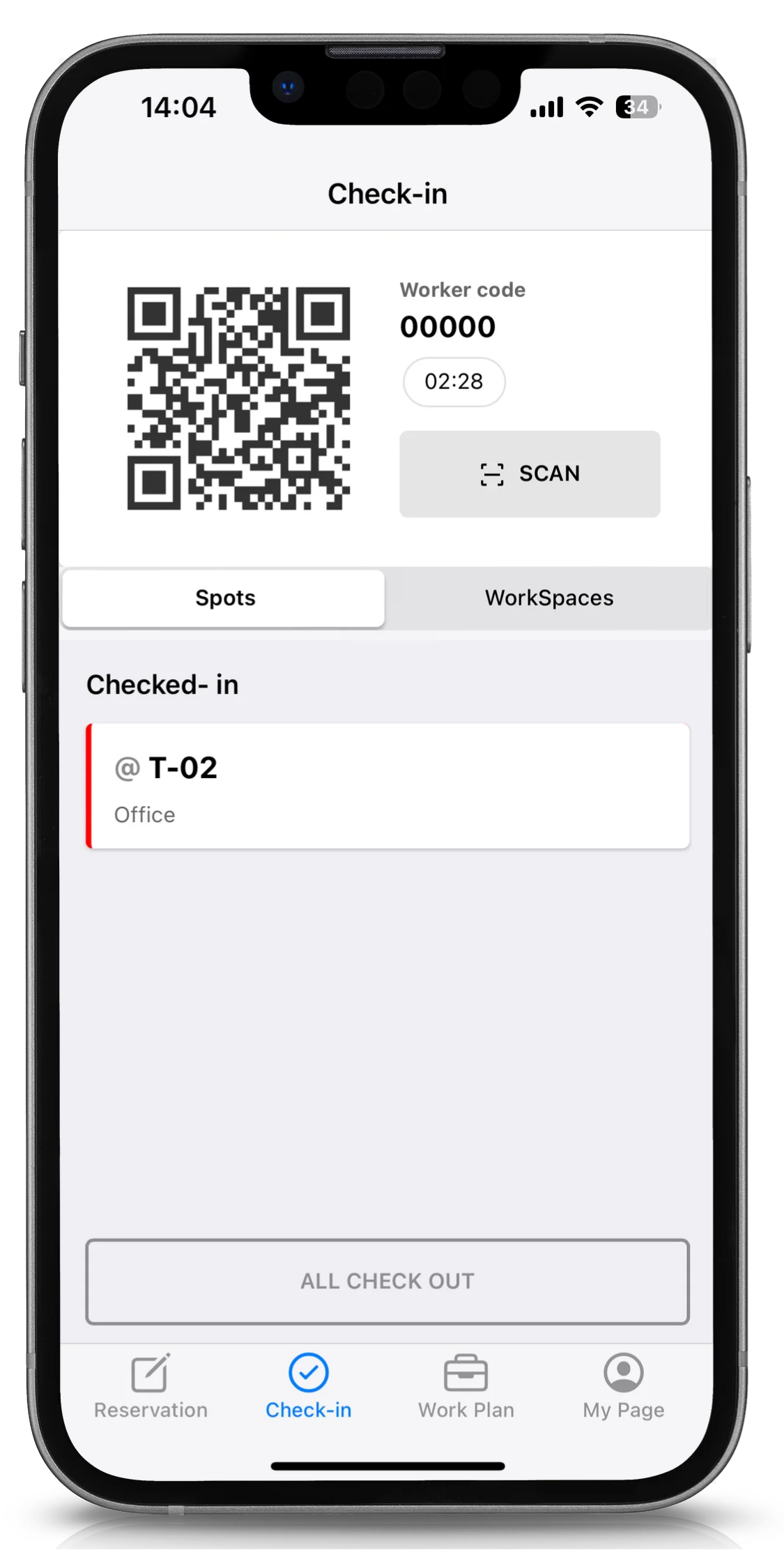
The spot that is currently checked in will be displayed as follows.
Note
Depending on your subscription status, the [Spots] tab may not be available.
Comments
0 comments
Article is closed for comments.